

The $20,000 Mistake That Almost Killed My Business
I will never forget that meeting in Bonifacio Global City. A fintech startup wanted a “cutting-edge” web application. They had a PHP 2 million budget and big dreams. Against my better judgment, I recommended headless WordPress with Next.js.
Six months later, I was drowning in complexity. The client was frustrated, the project was over budget, and I was working 16-hour days trying to make everything work together. We ended up spending PHP 1.2 million just on development – double the initial estimate.
That project taught me more about headless WordPress than any tutorial ever could. Let me share the hard-won lessons so you do not make the same expensive mistakes.
What Exactly Is Headless WordPress Anyway?
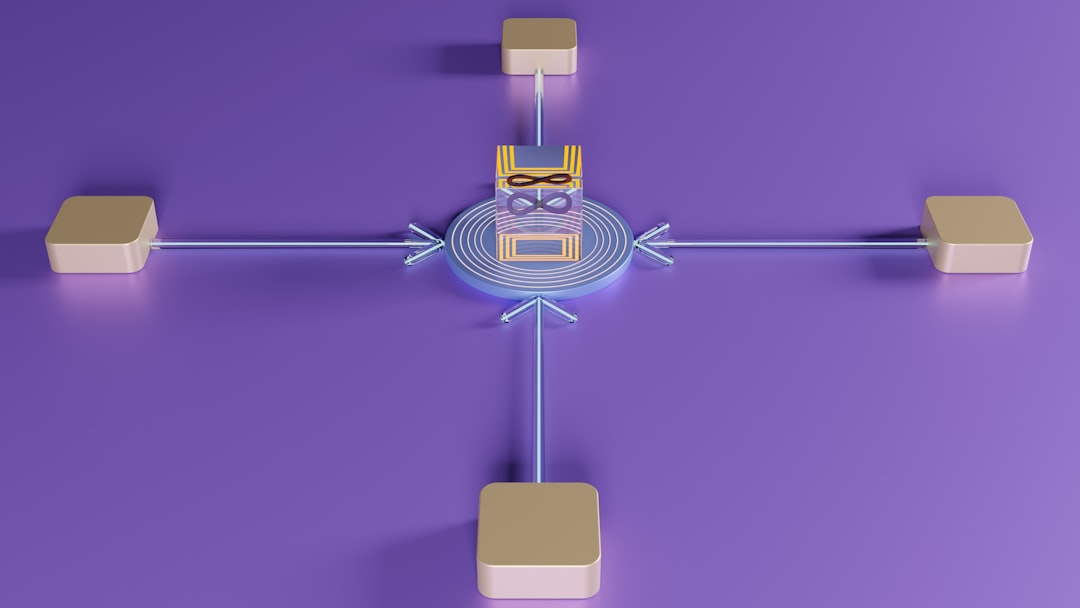
Imagine your WordPress site is a restaurant. Traditional WordPress is like a full-service restaurant where the kitchen (backend) and dining area (frontend) are connected. Headless WordPress is like a ghost kitchen – the kitchen still makes amazing food, but it delivers through multiple services (websites, apps, kiosks).
Technically, you are separating the content management (WordPress) from the presentation layer (Next.js, Gatsby, etc.). They communicate through APIs, usually REST or GraphQL.
Sounds cool, right? But here is what nobody tells you: this separation comes with a massive price tag in complexity and development time.
When Headless WordPress Actually Makes Sense
After my expensive mistake, I have learned to be very selective about when to recommend headless architecture. Here are the scenarios where it genuinely shines:
1. Multiple Frontend Applications
I worked with a retail chain that needed a website, mobile app, and in-store kiosks – all powered by the same content. Headless WordPress was perfect here. Content managers updated once in WordPress, and it appeared everywhere instantly.
2. High-Performance Static Sites
A news website getting 100,000+ daily visitors needed lightning-fast load times globally. We used WordPress for content, Gatsby for static generation, and CDN for distribution. Pages loaded in under 1 second worldwide.
3. Complex Web Applications
A SaaS company needed advanced user interactions, real-time updates, and a mobile app feel. Traditional WordPress would have struggled with the JavaScript complexity. Headless with React gave us the flexibility we needed.
4. Specific Technology Requirements
Sometimes clients have existing frontend teams or specific technology stacks. Headless lets them keep their WordPress content while using their preferred frontend framework.

The Hidden Costs Nobody Talks About
Let me break down the real costs of that BGC project:
Development Costs
- WordPress setup: PHP 50,000 (custom post types, REST API configuration)
- Next.js development: PHP 400,000 (components, state management, routing)
- API integration: PHP 200,000 (GraphQL setup, error handling, caching)
- Deployment pipeline: PHP 150,000 (CI/CD, staging environments)
- Testing and QA: PHP 100,000 (unit tests, integration tests)
- Unexpected issues: PHP 300,000 (always budget for this!)
Ongoing Maintenance
- Two hosting environments: PHP 15,000/month vs PHP 5,000 for traditional
- Two codebases to maintain: Double the maintenance time
- API monitoring: Need tools to track API performance and errors
- Team training: Developers need both WordPress and frontend skills
The Technical Nightmares I Encountered
Headless WordPress looks great in tutorials. Real-world projects are different:
API Rate Limiting
During a product launch, our site got 50,000 visitors in 10 minutes. WordPress API could not handle it. We spent two days implementing Redis caching and API rate limiting.
Caching Complexity
Traditional WordPress has caching figured out. With headless, you need to cache at multiple levels: API responses, static pages, database queries. Getting this wrong means slow sites or stale content.
SEO Challenges
Search engine optimization becomes much harder. You need to handle meta tags, structured data, and sitemaps in your frontend, not WordPress. Miss one detail and your rankings suffer.
Plugin Compatibility
Most WordPress plugins assume a traditional setup. Contact forms, analytics, e-commerce – everything needs custom integration or replacement.
My Current Decision Framework
After that expensive lesson, I created a simple decision tree:
Choose Headless WordPress If:
- Budget is over PHP 500,000
- Timeline is 6+ months
- Multiple frontend applications are required
- Performance requirements are extreme (sub-second load times globally)
- Team has strong JavaScript skills
- Content needs to power non-web applications
Stick with Traditional WordPress If:
- Budget is under PHP 300,000
- Timeline is under 3 months
- Single website is all you need
- Team has limited JavaScript experience
- You need lots of WordPress plugin functionality
- SEO is critical and you want WordPress to handle it
The Hybrid Approach That Usually Works Better
For most projects, I now recommend a hybrid approach:
WordPress + Selective Headless
Use traditional WordPress for most of the site, but make specific sections headless. For example, a product catalog that powers both the website and a mobile app.
Progressive Enhancement
Build a solid WordPress site first, then gradually add headless features as needed. This spreads the cost and reduces risk.
API-First WordPress
Keep the traditional WordPress frontend but build it with APIs in mind. This makes it easier to go headless later if needed.
The Tools I Actually Use
After trying dozens of combinations, here is my current tech stack for headless projects:
Backend (WordPress)
- WPGraphQL: More flexible than REST API for complex queries
- Advanced Custom Fields: Essential for custom content structures
- WPGraphQL for ACF: Exposes ACF fields to GraphQL
- Object Cache Pro: Critical for API performance
Frontend Options
- Next.js: Best for complex applications with server-side rendering
- Gatsby: Great for static sites with lots of content
- Nuxt.js: Vue.js alternative, excellent performance
- Astro: New player, promising for content-heavy sites
Deployment and Hosting
- Vercel: Excellent for Next.js applications
- Netlify: Great for static sites with continuous deployment
- Cloudflare Pages: Good performance, competitive pricing
Success Stories That Make It Worthwhile
Despite the challenges, I have had some incredible successes with headless WordPress:
E-commerce Platform (Manila)
- Website, mobile app, and admin dashboard all powered by WordPress
- Load times under 1 second across all platforms
- Content updates appear instantly everywhere
- Development cost: PHP 800,000 (but saved PHP 2M in native app development)
Media Company (Cebu)
- 50,000+ articles, multiple language versions
- Static site generation handles traffic spikes effortlessly
- Journalists can publish without technical knowledge
- SEO performance exceeds traditional WordPress by 40%
Is Headless WordPress Worth It in 2025?
Here is my honest take: headless WordPress is an amazing solution for specific problems, but it is not the future for everyone.
For 80% of websites – business sites, blogs, portfolios, small e-commerce – traditional WordPress with good optimization is faster, cheaper, and easier to maintain.
For the 20% with complex requirements – multiple platforms, extreme performance needs, advanced web applications – headless WordPress is not just worth it, it is often the only viable solution.
The key is knowing which category you fall into before you start. Do not get seduced by the technology hype. Focus on your actual business requirements.
Your Next Steps
Thinking about headless WordPress? Here is what I recommend:
- Assess your real needs: Do you actually need headless, or do you just want to use trendy tech?
- Double your budget estimate: Headless projects always cost more than expected
- Build a proof of concept: Test the technical challenges before committing
- Consider hybrid approaches: You might not need full headless implementation
- Plan for long-term maintenance: Consider ongoing costs and team capabilities
That BGC project? We eventually delivered a great product, but the profit margin was tiny. The client was happy, but I learned a valuable lesson: sometimes the best technical solution is not the best business solution.
Headless WordPress is a powerful tool, but like any tool, you need to know when – and when not – to use it.
Not sure if headless WordPress is right for your project? Let is analyze your requirements and recommend the best approach. Read about Core Web Vitals optimization – both traditional and headless approaches need proper optimization.